E-Commerce
DoorDash Menu Photos from Kitchen-Pass Phone Shots
Turn pass-window JPEGs into listing-ready plates — isolate the dish, keep garnish honest, and export for delivery apps versus Google Business.
Written by Backgroundcanvas Editorial, the team that builds these image tools. We disclose that affiliation here. Platform sizes and rules below come from the linked official docs, not from a lab bake-off.
The plate is the SKU on delivery apps
On DoorDash, Uber Eats, and an in-house online menu, diners decide in a glance whether the pasta is worth the fee. A ticket rail, a sticky bottle, or a fluorescent ceiling in the same frame loses that glance. You do not need a food-stylist retainer to compete. The job this week is the shots you already take at the pass: isolate the dish, clean the edge, and export one master for the app grid and another crop for Google Business or Instagram. Shopify's product photography guidance says buyers look at pictures before copy; a delivery listing is the same loop with worse compression and a hungry thumb. Ghost kitchens feel this first: the only "storefront" is a 1:1 tile next to six competitors.
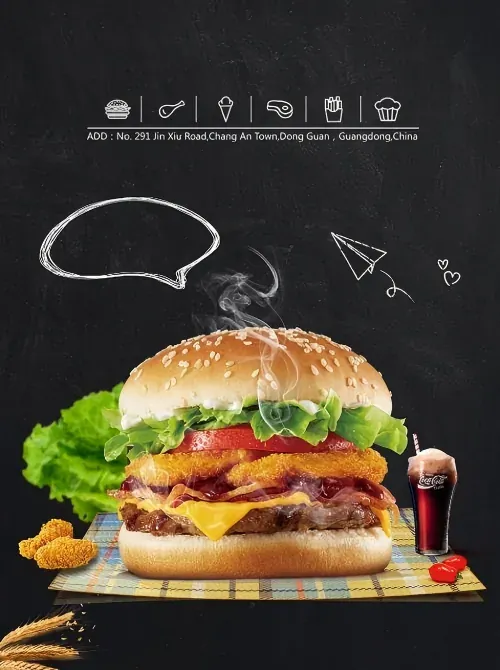 Before
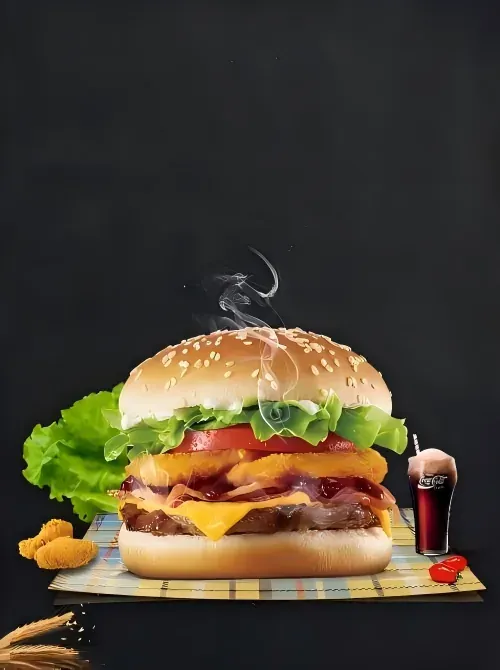 After
After
Isolate the dish, then pick white versus lifestyle
Phone photos from the pass often include cutting boards, a coworker's hand, or the ticket printer. Shoot from slightly above the plate, not from across the pass with a 0.5x ultrawide — that lens bends the rim and makes reconstruction look fake. Run the hero plate through background removal. Inspect herbs, sesame, noodles, and steam at 100% zoom — those frayed edges are what guests see when they pinch-zoom. Many marketplace catalogs still expect a clean light or white field. Export that cutout as the listing master. Google Business Profile photo tips ask for clear, well-lit pictures of what you actually serve; for the profile grid and Stories, you can place the same cutout on a warm wood, slate, or brand-color surface so you are not reshooting between lunch and dinner. Do not invent garnish that was not on the plate, and do not clone a second protein to hide an empty area. Cleanup is clutter, not a new recipe. If the dish is a bowl, keep the bowl; swapping to a fancy ceramic you do not use on the line will get you one-star "photo bait" comments.
Compression, file limits, and overlay junk
Delivery apps downsample aggressively. A 10MB PNG will be crushed on the client. After the edge looks right, export a JPEG of the finished scene for the app; keep the PNG in a kitchen folder named by dish and date (`carbonara-2026-09-02.png`). Uploads on Backgroundcanvas max out at 10MB and 6000×6000 pixels (JPG, PNG, WebP, AVIF). A 2400 px pass photo under 4MB typically returns in under 60 seconds. Combo trays and dessert extras often arrive with camera-roll timestamps, a supplier mark on a garnish pack, or last month's promo price burned into a screenshot from the POS. Typed prices and dates go to text removal; a logo-shaped mark goes to watermark removal after the background pass. One cleaned folder beats a Camera Roll dump when someone asks for menu assets by Friday. Do not batch 40 dishes at dinner rush on a dying phone battery: pick the ten SKUs that rotate this week.
Lighting, color, and allergen swaps
Pick one lighting habit (window side light or a cheap LED panel at 45 degrees, no on-camera flash) and one background preset per brand — white or light for delivery, lifestyle for the website carousel — then batch those ten dishes back to back. Fluorescent kitchens go green on phone JPEGs; check the plate and the napkin, not just the cutout edge. When a limited roll sells out or allergen packaging changes, the photo still has to match what arrives. If you swapped from a sesame bun to a plain bun, update the listing the same afternoon; leftover garnish in the photo is how you get a complaint, not how you get a conversion. Steam is optional. Sharp rim and readable texture are not.
When not to fake it
If the only frame is a dark, noisy 800 px WhatsApp export, reshoot; reconstruction cannot invent steam or plate shine that was never captured. Skip the tool when the dish is mostly liquid with a huge specular hit (consommé, espresso crema) and the only copy is a crushed JPEG — those frames need a still, not a reconstruction. Only edit photos of food you cook and own. Clearing your pass shots is normal ops. Lifting another restaurant's grid is not, and delivery platforms will still match the photo to the bag.
Rights and a last check before the listing goes live
Only edit photos of food you cook. If a franchise brand kit forbids altering plated shots, follow the kit. Before you upload to the app, pinch-zoom the JPEG on a phone: rim, garnish, and empty space should still look like tonight's line, not like a stock plate.
When tonight's specials board changed at 4 p.m. and the app still shows last month's counter, isolate the plate, export the listing JPEG, and publish a grid that looks like the kitchen at service — not like the pass at 8:42 p.m.
Friendly links: Shopify product photography guide, Google Business Profile photo tips.