Professional Photos
CV Photos Only Where the Market Wants Them
If the role expects a portrait on the PDF, isolate a window-lit still onto a calm field. If the market treats photos as a bias risk, leave them off.
Written by Backgroundcanvas Editorial, the team that builds these image tools. We disclose that affiliation here. Platform sizes and rules below come from the linked official docs, not from a lab bake-off.
The photo is optional until it is not
US and UK private-sector CVs usually skip a portrait so hiring is not a beauty contest. German, French, and many public-sector packs still expect one on page one. LinkedIn already has its own crop and its own article in this blog. This page is the PDF and portal still: a recent face on a quiet field, not a kitchen, not a conference lanyard, not a five-year-old graduation stamp. If the employer’s form does not ask for a photo, do not add one to “look professional.” That is a different risk than a messy background. If the form does ask, isolate one consented still and stop there — this is not a tour of every cleanup tool.
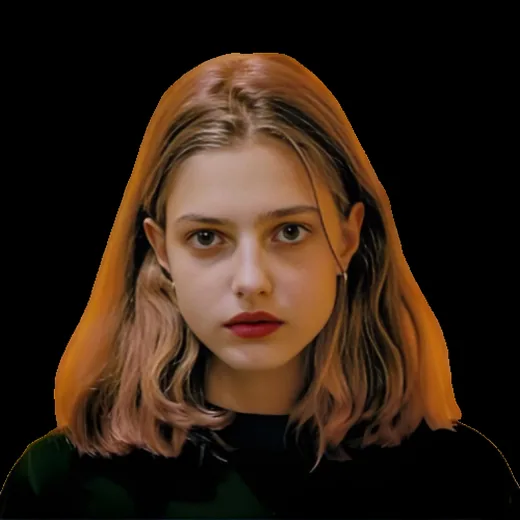
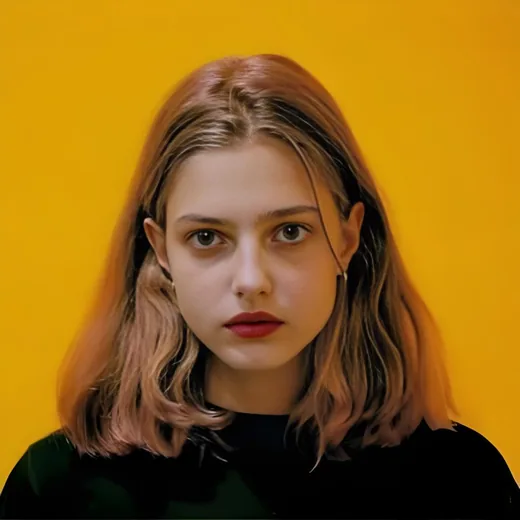
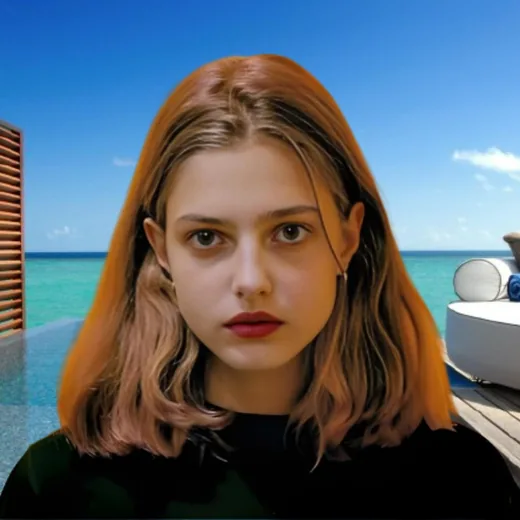
Isolate, then pick one boring field
Shoot facing a window, shoulders square, enough headroom for a rectangle in the header and a circle in an ATS widget. Upload to background removal. Inspect glasses, beard, and collar at 100%. Swap to grey, off-white, or a muted color that does not fight the type. Neon brand fields read as a campaign, not a CV. Do not invent a glass office. Do not apply a beauty filter; recruiters distrust plastic skin more than a real pore. If half the light is tungsten and the PDF paper is cool grey, grade after download or reshoot at noon. A second auto pass will not invent a collar the first pass ate.
Files and leftover stamps
Uploads accept JPG, PNG, WebP, or AVIF up to 10MB and 6000×6000 px. A 2400 px JPEG under 4MB typically returns in under 60 seconds. Export an 800 px-wide JPEG for the PDF header so the file does not balloon. A university stamp or “CLASS OF 2019” line is text removal after the cutout — paint only the stamp. If it covers an eye, stop and use another frame. Only edit your own face, or a portrait you have written permission to use. Webcam freeze-frames are usually too soft. Do not submit a 200 px Slack emoji upscaled into a PDF.
Two crops, one master
Keep `lastname-cv-rect.jpg` and `lastname-cv-square.jpg` from the same still. Do not mix a LinkedIn crop into a government form that forbids software changes — read that form the same way you would read a passport page. A speaker-bio headshot for a conference site is a different brief; do not reuse a CV field that was meant to look boring. Skip this tool when the market does not want a photo at all. Adding a portrait to a US tech resume because a template had a circle is not a background problem.
When a studio is cheaper
Motion blur, a dark bathroom mirror, and a stamp over an eye are not isolation problems. Relight, reshoot, then skip cleanup. Credits spent reconstructing a cheek you could photograph in two minutes are wasted. Keep the dated original in case an HR portal asks for an unedited file. When the portal wants a portrait and yours still shows last night’s dishes, isolate the face, export the rectangle, and leave the kitchen out of the first impression.
ATS widgets crop harder than PDFs
Many portals show a circle. If you only export a wide rectangle, the ears disappear. Export the square from the same isolation. Do not add a fake office plant behind the circle; the ATS will compress it into noise. If you are applying in a market that treats photos as a bias risk, delete the circle from the Word template instead of cleaning it. US private-sector tech roles rarely need a portrait. Adding one because a Canva CV had a circle is not a background problem. German and French packs that still ask for a photo want a recent, boring field — not a conference lanyard reconstructed into a studio.
Conference badges are not CV photos
A summit still still has the lanyard, the date, and a sponsor. Isolating the face is fine for an internal bio. For a CV in a photo-optional market, you did not need that photo. For a photo-required market, shoot a new still; do not reconstruct the lanyard out and pretend it was a studio. A passport-style still for a government form may forbid software changes — read that form. Keep `lastname-cv-rect.jpg` and `lastname-cv-square.jpg` next to the as-shot file. When the PDF is otherwise ready and the thumbnail is the only thing that looks accidental, use one consented still and a calm field — or omit the photo if that is the local norm.
One still, two markets
If you apply in both a photo-optional US inbox and a photo-expected EU pack, keep the isolated still in a folder and attach it only where the form asks. Do not send the same PDF to both. Recruiters in photo-optional markets often treat an unsolicited portrait as noise. Recruiters who expect a portrait treat a kitchen selfie as noise. Isolation solves the second case. Deleting the image from the template solves the first. Webcam light at 10 p.m. is usually too yellow; reshoot at a window before you spend a credit.
When the PDF is otherwise ready and the thumbnail is the only thing that looks accidental, use one consented still and a calm field — or omit the photo if that is the local norm.