Professional Photos
LinkedIn Headshots from a Window-Lit Phone Portrait
Create LinkedIn-ready headshots with AI background removal: cut clean edges, swap to soft studio tones, keep skin detail natural, and export HD portraits witho…
Written by Backgroundcanvas Editorial, the team that builds these image tools. We disclose that affiliation here. Platform sizes and rules below come from the linked official docs, not from a lab bake-off.
The circle is the interview
Recruiters see the 400 px LinkedIn circle before they read a single line. A kitchen, a car headrest, or a whiteboard full of sprint notes in that circle reads as “this was taken between meetings,” even when the expression is good. Booking a studio for a ten-person remote team is a real invoice. The job this week is one phone portrait per person, shot facing a window, isolated from the room, and dropped onto the same neutral field so the About page and Slack avatars match.
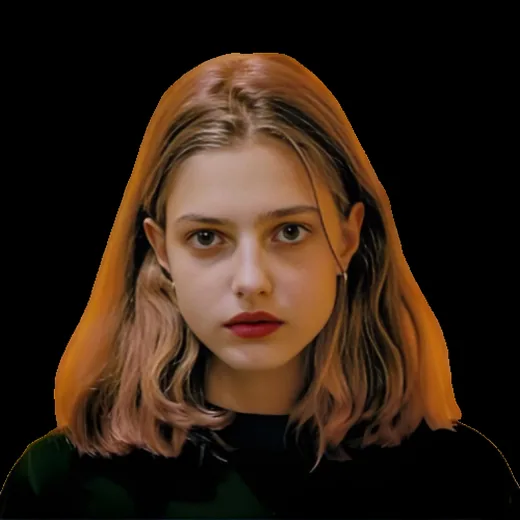
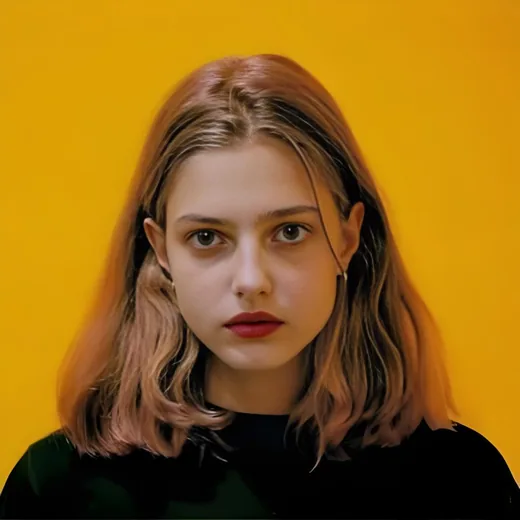
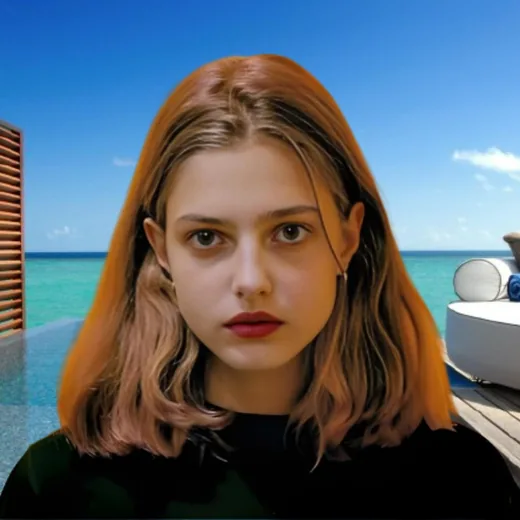
Isolate the face, then pick one field
Stand a person a metre from a plain-ish wall, face the window, leave headroom, and shoot a JPEG. Upload that file to background removal. Inspect hair, glasses, and collar at 100% zoom. A dark halo around dark hair means the wall was too close in tone — those frames need a brighter wall or a second take, not a second auto pass. Then swap to one field for the whole company: a cool grey, a soft brand color, or a very simple office texture. Do not invent a glass conference room the hire never sat in. LinkedIn’s photo help asks for a clear picture of you; it does not ask for a fake HQ. If the portrait will also feed a careers page banner, leave extra canvas above the hair so a 16:9 crop does not clip the crown.
Sizes you can reproduce
LinkedIn displays a small circle; their help pages have long recommended a larger square source so the crop stays sharp (commonly cited as at least 400×400, with 800×800 a practical master). Backgroundcanvas accepts JPG, PNG, WebP, or AVIF up to 10MB and 6000×6000 px. A 2400 px phone JPEG under 4MB typically returns in under 60 seconds. Export an 800 px square from the cutout, then downscale for Slack and email. Name files `firstname-headshot.png` versus `firstname-gray.jpg` so marketing does not paste a transparent layer onto a white slide and wonder why a checkerboard shows.
Conference badges, lighting, and leftover stamps
A great expression sometimes lives on a badge photo with a date or a sponsor mark in the corner. That is a text or watermark job after the cutout, not a reason to run every tool at once. Paint only the stamp. If the mark covers an eye, stop. Window light is cooler than overhead office LEDs; if half the team was shot at dusk under tungsten, the grey field will make skin look orange. Correct the subject after download, or reshoot those two people. Glasses: check for a second rim where the wall showed through the lens. Those frames need a slightly different angle, not another auto pass.
Batch the team in one sitting
HR wins with a one-page brief: stand a metre from the wall, face the window, no hats, no busy patterns that fight the field. Process ten portraits back to back with the same swap preset. Name files `firstname-headshot.png` versus `firstname-gray.jpg` so a recruiter slide deck does not paste a transparent layer onto a white board and show a checker. Only edit portraits the person agreed to use for work. Clearing your team’s Camera Roll is ops. Lifting a stranger’s headshot from a conference recap is not.
Recruiter crop, ATS, and remote honesty
Applicant tracking systems and Recruiter mobile still downsample. Export the 800 px square as the master, then let LinkedIn compress. Do not upload a 200 px Slack crop and stretch it. Remote hires shot in five countries should share one field so the About page does not look like five companies. Do not invent a glass HQ nobody sat in. LinkedIn’s photo help asks for a clear picture of you; a consistent studio-style field is presentation, a fake skyline is not. Beards, curls, and baby hairs need the same 100% check as glasses. If the wall was patterned (IKEA art, a plant), leftovers sit in the hair — paint those in a second pass or reshoot against a plainer wall.
When a reshoot is cheaper than a second auto pass
Skip the tool when the only file is a 400 px WhatsApp forward, when a badge covers an eye, or when the person never agreed to a work portrait. A webcam freeze-frame from a Zoom gallery is usually too soft for an 800 px master. If half the team was shot at dusk under tungsten and the other half at noon, grade skin after download or book twenty minutes of window light for the warm group. Keep a dated folder of consented masters without type so marketing can drop the same face onto a careers banner without hunting Slack.
When the careers page still shows five different living rooms, isolate the face, apply the same field, and publish a grid that looks like one company.
Friendly links: LinkedIn photo guidelines.