Text & Watermark
YouTube Thumbnails: Strip Last Week’s Title at 1280×720
Clean YouTube thumbnails with AI text and watermark removal: erase leftover stamps, keep faces and props sharp, rebuild space for new titles, and export HD cli…
Written by Backgroundcanvas Editorial, the team that builds these image tools. We disclose that affiliation here. Platform sizes and rules below come from the linked official docs, not from a lab bake-off.
The still is good; last week’s type is not
A clickable thumbnail is often a face or product still you already have, ruined by “PART 2,” an old episode title, or a channel bug burned into the export. Relinking from the timeline is ideal. Reality is a flattened PNG in Drive while Studio is open. YouTube’s own help for thumbnails specifies a 1280×720 image, under 2MB, JPG/PNG/GIF/BMP. The job is to clear the old letters, keep the expression, and letter today’s title in CapCut or Canva on a clean 1280×720 master. Custom thumbnails still have to match the video; clearing last week’s type is production, swapping in a shocked face that never appears in the cut is a policy problem.
Paint the title, not the face
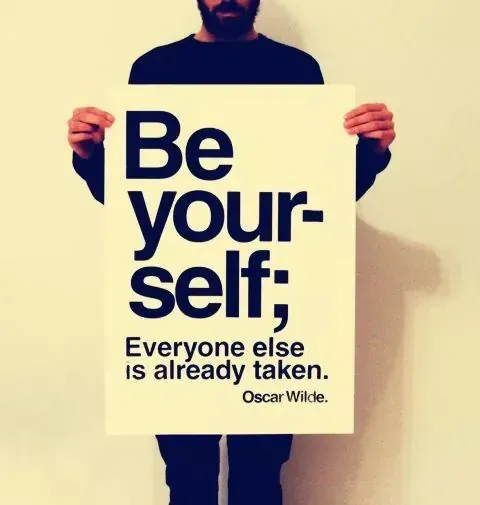
Upload the still to text removal. Brush the typed title, countdown, or hard-coded subtitle as one block. Zoom to 100% on skin and fabric. You want the original grain, not a soft rectangle. A semi-transparent channel logo is a watermark, not a caption — route that mark to watermark removal after the type is gone. Story-sticker residue is emoji removal. One routing decision keeps the reaction face you are actually ranking on. Lower-third names from an interview export are type; paint the bar as a block or crop it. Do not ask the model to rebuild a talking-head shoulder that the lower-third covered for three seconds.
Size math versus the upload cap
YouTube wants 1280×720 and under 2MB. Backgroundcanvas accepts up to 10MB and 6000×6000 px, so work on a larger master (1920 px on the long edge is enough) then export 1280×720 JPEG under 2MB for Studio. A 1920 px PNG under 4MB typically returns in under 60 seconds. Do not upload a 640 px Instagram export and stretch it to 1280 — YouTube will show the blur on TV. Keep a folder of untitled bases so A/B tests are type-only. If the still is already 1280×720 and under 2MB, you can still run text removal; the cap is an upload limit, not a reason to start from a social crop.
Daily upload discipline
If you publish daily, clean five bases per series in one sitting. Keep the same crop, the same grade, and the same face size so the shelf looks like one channel. Skip the tool when the title covers most of the face, when the still is a screenshot of a screenshot, or when the frame is someone else’s thumbnail. Clearing your own old titles is production. Lifting another channel’s art is not.
Contrast, safe margins, and end cards
YouTube crops thumbnails differently on mobile and TV. Keep the face out of the lower-right where timestamps sit, and leave a margin so a 16:9 crop does not shave the expression. End-card logos that were baked into an outro still belong on watermark removal; if the still is a full end-card slate of type, you need a new export from the project, not a reconstruction of a black slate. Gaming HUDs with tiny UI type will leave glyph dust — paint the HUD as a block or crop it out. Shorts stills are 9:16; do not stretch a 16:9 clean master. Export a separate 1080×1920 if that is the surface, still under YouTube’s file-size habits for that upload.
A/B tests, Premiere, and series folders
A/B tests only work if the still is identical and the type is the variable. Keep a folder of untitled bases named by episode number so you are not re-clearing last week’s title every time you test “PART 3” versus a question. Premiere and public uploads share the same 1280×720 spec; do not upload a 720×1280 phone screenshot sideways. If the still is a pause-frame from a 4K timeline, export a PNG from the NLE first so you are not reconstructing a compressed Studio download of your own video. Live-stream thumbnails that include a “LIVE” bug should keep that bug until the VOD title is lettered, or you will confuse the shelf.
Rights and when to stop
Skip the tool when the title covers most of the face, when the still is a screenshot of a screenshot, or when the frame is someone else’s thumbnail. Clearing your own old titles is production. Lifting another channel’s art is not. Reaction faces that were fair-use commentary still need a still you captured; do not scrape a competitor’s custom thumbnail. If reconstruction leaves a soft rectangle across a cheek, go back to the timeline. A second auto pass will not invent pores.
When Studio is waiting and the best take still says last month’s title, clear the type, export 1280×720 under 2MB, and letter today’s line on a still that already earns the click.
Friendly links: YouTube thumbnail requirements.