Professional Photos
Barber Instagram Cuts: Isolate the Fade, Leave the Chair Out of the Square
Cut mirror clutter and cape folds off a phone still for Instagram and Booksy. Keep the hairline honest — this is station cleanup, not a new cut.
Written by Backgroundcanvas Editorial, the team that builds these image tools. We disclose that affiliation here. Platform sizes and rules below come from the linked official docs, not from a lab bake-off.
The grid books the next Saturday chair


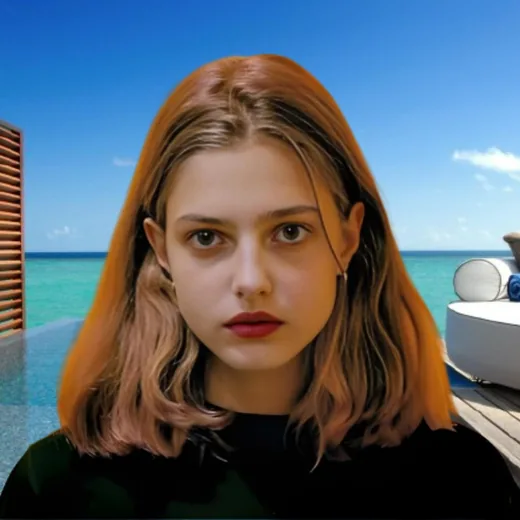
Clients on Instagram, Booksy, and Google decide in a swipe whether your fade looks careful. A pile of clippers, a dirty cape, or a waiting-room TV in the mirror loses that swipe. A ring light and seamless are ideal; most barbers shoot between clients with a phone. The job is to isolate the head and the cut you finished — not to invent a private suite the shop does not have, not to reshape a hairline, and not to tour every cleanup tool. Trainer gym cutouts are a different clutter problem; this page is a barber close-up.
Cut the person; keep the edge work
Upload the sharpest still. Run background removal on the head and shoulders. Inspect hairline, beard line, and ear edges at 100%. A dark halo means the cape was close in tone — pull the cape down and reshoot if you can; do not stack auto passes. Swap to a soft charcoal, off-white, or a brand color that matches the shop wall. A fantasy loft the storefront does not own is a review when they sit down. If “WALK-INS OPEN” or a date stamp is burned in, that is a text pass after isolation — paint the stamp, not the fade. A chain logo in the mirror is a watermark after the cutout.
Square grid versus Booksy tiles
The profile grid is a square crop. A tall Story still will lose the neckline or the crown. Compose with the cut inside a 1:1 safe area, or export a square after the cutout. Booksy and Google often show small squares; do not stretch. Uploads here accept JPG, PNG, WebP, or AVIF up to 10MB and 6000×6000 px. A 2400 px JPEG under 4MB typically returns in under 60 seconds. Export at least 1080 px on the short edge so zoom holds on mobile.
Consent and cut honesty
Only post clients who cleared marketing, or crop so the face is not the selling point if they said hair-only. Do not lift another shop’s chrome fade. Do not reconstruct a sharper line-up than you cut. Keep texture as shot; cleanup is for mirrors and lunch, not for selling a style you did not finish. Name files `skin-fade-clean.jpg` versus `skin-fade-as-shot.jpg` so a complaint has an original.
Daily posting without a studio hour
Same window or same overhead, same field, exports named by service (fade, beard, kids). Five stills, not fifty. Skip motion-blurred clipper passes. Skip 400 px WhatsApp forwards from a trainee. A second auto pass will not invent a sharp temple. Relight and reshoot when the face is in shadow.
Hours belong in the caption
Letter Saturday hours in the caption or Story sticker, not on the JPEG, so a rain delay does not force another reconstruction. When Saturday needs a hero and the best still shows cape folds and a TV in the glass, isolate the cut, keep the hairline honest, and publish a square that matches the chair they will sit in.
When a new still is cheaper
Wet hair, a moving client, and a cape covering the neckline are not background problems. Towel, wait, shoot again. Credits spent reconstructing a smudge you could wipe are wasted. When the Booksy slot is open and the grid still shows yesterday’s station mess, cut the head off the mirror clutter and leave the fade as it was.
When the feed is the shop window, isolate the work you did, keep the hairline honest, and keep the fake loft out of the square.