Text & Watermark
Substack Email Banners: 1100×220 Without Last Week’s Title
Clean newsletter header images with AI text and watermark removal: erase old campaign stamps, keep brand art intact, and export HD headers ready for the next e…
Written by Backgroundcanvas Editorial, the team that builds these image tools. We disclose that affiliation here. Platform sizes and rules below come from the linked official docs, not from a lab bake-off.
The banner is not the post cover
Substack publishes separate sizes for different chrome. Logo: at least 256×256 with a transparent background. Email banners: 1100×220 recommended (PNG is what their header help suggests), and banners appear in email, not on posts. Cover image: at least 600×600. Social / post preview: at least 1200×630, 14:10. Full-width images taller than 1:1 get cropped square. Treating last week’s 16:9 post header as this week’s email banner is how type gets sheared and a “FLASH SALE” line survives in Gmail. If faces get cropped in post thumbnails, Substack’s size article tells you to set center or smart crop in the website editor — that is a dashboard setting, not an overlay cleanup.
Paint the old issue line, keep the illustration
Weekly writers reuse an evergreen illustration with a new headline glued on. That headline is lettering. Brush the issue title, the guest name, and the expired coupon as one block. Zoom to 100% on paper texture or a face in the drawing. You want the original grain, not a soft rectangle. A partner logo in the corner is a mark, not a caption — route that after the type is gone. A Story sticker leftover from a cross-post is a third job. One routing decision keeps the art you are actually known for.
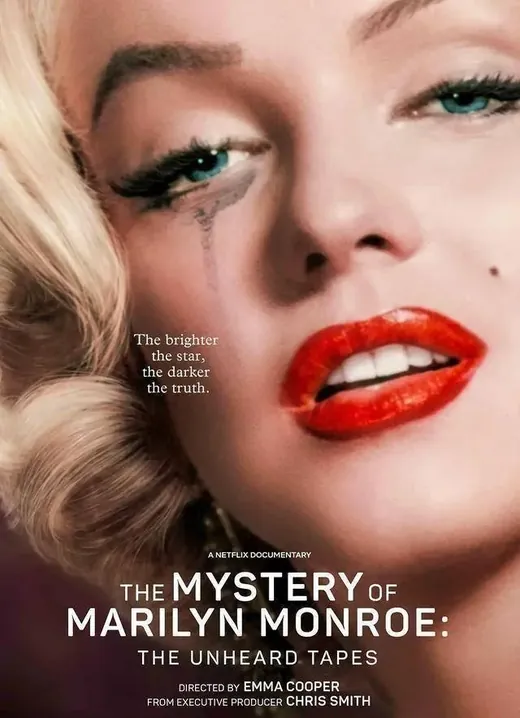 Before
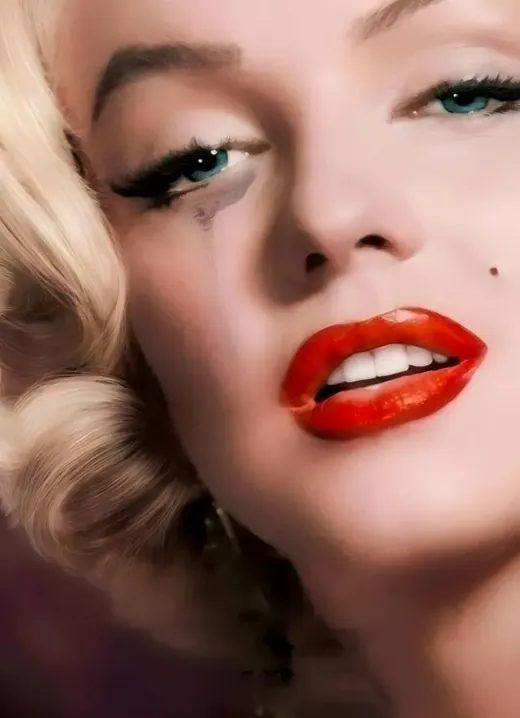 After
After
Export to the slot you will actually use
Cleanup uploads accept JPG, PNG, WebP, or AVIF up to 10MB and 6000×6000 px. A 2000 px master under 4MB usually returns in under 60 seconds. Then export the slot: 1100×220 for the email banner, a separate 600×600 (or larger) cover, and a 1200×630 preview if the issue needs a social card. Do not upload a 640 px Instagram export and stretch it to 1100. Tall full-width images will be cropped to 1:1 on the site — crop the subject yourself. Beehiiv and ConvertKit have their own hero widths; this page only cites Substack’s published numbers. Keep the untitled master larger than 1100 px so you can crop a banner without upscaling.
A library of untitled bases
The habit that survives Thursday send windows is a folder of banners with no type: one 1100×220, one cover, named by series, not by issue. When the essay is done you letter in Substack or Figma. Skip the tool when the title covers most of a face, when the file is a screenshot of a screenshot, or when you do not own the illustration. Clearing your own expired promo is production. Lifting another publication’s hero is not. Archive last month’s typed PNG so you can prove what went out if a sponsor asks why their logo vanished a week early.
Gmail, dark mode, and test sends
Email clients recompress. A noisy PNG banner will posterize; export JPEG for photos, PNG for type-free illustration with flat color. Dark-mode inverts some PNG transparency to an unexpected field — check the test mail on a phone with dark theme on. Substack’s header editor lets you send yourself a test; use it. A 1100×220 banner that looked fine in Figma can clip a face if you used a 16:9 crop and hoped the extra height would survive. It will not. Their banner help is explicit that this chrome is for email. A mailing address still appears at the bottom of every Substack email; that is a legal footer, not something to hide inside the banner art.
Paid versus free subscriber chrome
Substack lets you set header and footer content for free and paid subscribers separately. If last week’s paid-only webinar title is still on the free-list banner, you will confuse the people you are trying to convert. Keep two untitled bases if the two lists use different art. Do not reconstruct a “paid exclusive” slate from a screenshot of the post — export from the design file.
Rights and a last check before send
Only edit art you commissioned, licensed, or drew. A stock preview watermark on a file you have not bought is not a cleanup job — buy the license or pick another frame. If the banner still reads last month’s sale after the test mail, you caught it cheaper than a postmortem on open rate.
When the send window is open and the best illustration still says last week’s title, clear the type, export 1100×220, and letter today’s line on a banner that already matches the essay. Then send the test mail before the list goes out.
Friendly links: Substack: optimal image dimensions, Substack: email headers and footers.