Social Media
OTA Suite Heroes: Seasonal Window Light, Same Furniture, Same View
Refresh boutique hotel room photos for each season with AI background swap: keep bedding and furniture, change window views or seasonal accents, and export lis…
Written by Backgroundcanvas Editorial, the team that builds these image tools. We disclose that affiliation here. Platform sizes and rules below come from the linked official docs, not from a lab bake-off.
July light is still on the pumpkin weekend page
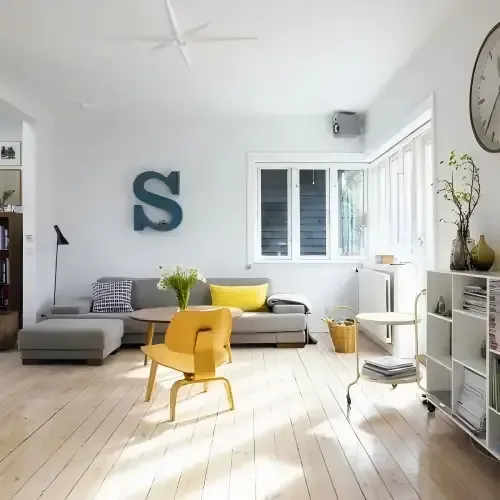
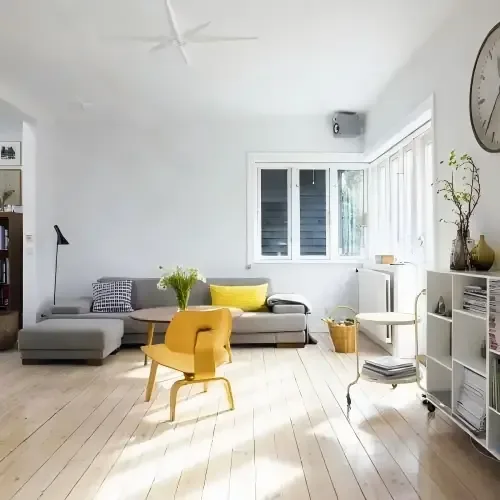
Revenue wants autumn packages live by Friday. The approved king-suite JPEG still reads midsummer. Restaging with new throws and a florist is a two-day close. The job is a seasonal atmosphere pass on the window and far wall of the room you actually sell — not a new floor plan, not a second bed, and not a coastline the inn does not face. Booking.com’s partner photo page tells you to shoot landscape, to use high-resolution files (at least 2048×1080, preferably 4000×3000), and to show rooms accurately. Guests who check in will walk into that furniture. A CGI ocean is a review.
Swap the weather, keep the suite
Upload the licensed hero. Isolate only if a housekeeping cart or trolley steals the edge. Then swap the visible exterior or far-wall tone: soft autumn gold, cooler blue-hour, or a warmer holiday glow that the property can actually produce with lamps and a wreath. Do not paste a tropical balcony onto a ski lodge. Do not clone a second armchair. Do not move a radiator. Beds, rugs, and the TV size stay. If a typed rate board sits in the corner, that is a text pass after the mood — one routing sentence, then back to atmosphere. Real-estate listing cleanup (clutter on the floor) is a different article; this page is seasonal light on a hotel hero.
Landscape files versus the 10MB cap
Work from a 4000 px-wide JPEG when you have it. Uploads here accept JPG, PNG, WebP, or AVIF up to 10MB and 6000×6000 px. A 2400 px JPEG under 4MB typically returns in under 60 seconds. Booking.com’s gallery FAQ also mentions smaller practical uploads on some extranet paths; if a file fails over size, export a high-quality landscape JPEG from the cleaned master rather than a 1200 px social crop. Instagram and email need square and 16:9 from the same still. Do not stretch a vertical Story into the OTA hero. Name files `king-suite-base.jpg` versus `king-suite-autumn.jpg` so winter is another preset, not another reconstruction.
Room-type galleries must match the unit
Partner help says a room or unit gallery should only show facilities in that room type. Do not drop the spa’s fireplace into a standard king. Do not show a rain shower the category does not have. Seasonal mood is still that unit. If the window is a brick wall, autumn gold on brick is honest; a mountain vista is not. Skip 0.5x ultrawide frames that already bend door frames. Skip files you do not own. A photographer’s watermarked proof is not an OTA asset until they send a clean export.
Batch kings, then twins
Same preset per season so the brand grid does not look like five different hotels. Process the five revenue rooms first, not the whole archive. A trolley in the corner that will be gone at check-in can go. A structural crack cannot. When the autumn promo is live and the hero still reads July, refresh the window mood, keep the furniture, and publish a suite that matches the keys at the desk.
What guests will screenshot
OTAs crop landscape into search cards. Inspect the bed and the window after export at half size. If the swapped sky turns to blocks, relink the original or reshoot at golden hour. Do not invent square footage. Do not hide a parking lot the window actually faces — crop tighter to the drapes if the lot is the problem. Letter “FROM $189” in the campaign layout, not in the pixels, so a rate change does not force another pass.
Rights and a last walk-through
Only edit photos the property owns or that a photographer cleared for marketing. Seasonal mood is ops. Lifting another boutique’s suite is not. Walk one room with the new JPEG on a phone before you replace the main photo; if you would not recognize the suite, undo. When pumpkin weekend is selling and the gallery still shows July, swap the atmosphere you can actually light, and leave the floor plan alone.
Main photo versus the rest of the gallery
Booking.com lets you set a main photo. That is the search card. Seasonal mood belongs on the hero if the campaign is seasonal; bathrooms and corridors can stay as-shot so the layout still reads as a real building. Partner help asks for at least four photos per room type plus a bathroom still — do not replace every tile with the same swapped window. Guests who swipe will notice five identical skies. Keep one autumn hero, then honest interiors.
Ski inns versus city boutique
A mountain property can warm to blue-hour snow if that is the actual outlook. A city courtyard cannot grow Alps. If the only window is a lightwell, seasonal color on the drape is the honest move. Do not borrow another property’s terrace. When pumpkin weekend is selling and the gallery still shows July, swap the atmosphere you can light, keep the bed count, and skip the fake beach.
When the campaign is live and the king still looks like high summer, warm the window, keep the bed count, and skip the fake beach.
Friendly links: Booking.com Partner: photo requirements.