Social Media
Gala Recap Portraits: Isolate One Guest Without Fake Crowds
Refresh event and party photos with AI background swap: keep guests sharp, replace messy venues or rental walls, and export HD albums for hosts, vendors, and s…
Written by Backgroundcanvas Editorial, the team that builds these image tools. We disclose that affiliation here. Platform sizes and rules below come from the linked official docs, not from a lab bake-off.
The recap is due before the venue is swept
Planners still need five shareable stills by 9 a.m.: sponsor deck, thank-you email, Instagram carousel. The Camera Roll is 400 frames of exit signs, elbows, and a buffet. Reshooting on a seamless is not happening. The job is to isolate the guest or the product you actually photographed — not to paste them onto a ballroom that was never booked, and not to clone extra attendees into an empty corner. Sponsors compare the recap to the night they paid for. A marble lobby the gala did not use is fiction. A calmer field or a cleaner corner of the same room is presentation.
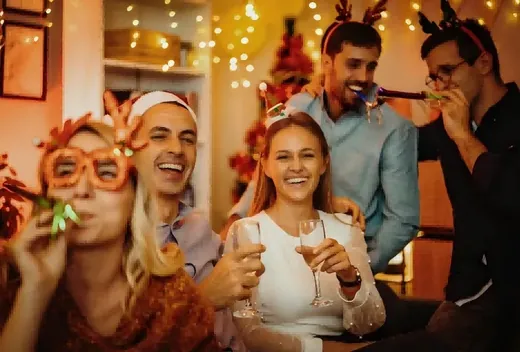
 Before
Cut the person; leave the architecture
Upload the sharpest frame where the face is unobscured. Run background removal when the subject is one guest, a speaker at a lectern, or a bottle on a high-top. Inspect hair, sequins, and glasses at 100%. Phone flash and string lights leave halos; those frames need a second look, not a second auto pass. If the cutout eats a earring or a wine glass stem, stop and pick another frame. You are making one person readable at feed size. You are not rebuilding the room. For a product placement still, isolate the bottle, not the bartender behind it, unless that person signed a release.
Files, Story leftovers, and crops
Uploads accept JPG, PNG, WebP, or AVIF up to 10MB and 6000×6000 px. A 2400 px JPEG under 4MB typically returns in under 60 seconds. Export a 1080 px square for the carousel after the cutout. A date stamp or heart pack on a Story still is a different pass after isolation — paint the sticker, not the tuxedo, then come back to this article’s job. Skip 0.5x ultrawide frames that already bend door frames. Skip files you do not own. A venue photographer’s watermarked proof is not your recap asset until they send a clean export. Do not reconstruct a face that was behind another shoulder; that is a missing person, not a background problem.
Consent, sponsors, and honest rooms
Only publish guests who agreed to event photography, or crop so they are not identifiable if the contract requires it. Do not erase a competitor’s booth if it was in the hall — that is the room. Do not paint out a fire-exit sign if the only alternative is inventing a wall. Name files `recap-guest-03-clean.jpg` versus `recap-guest-03-as-shot.jpg` so a complaint can be answered with the original. If the hero still shows an exit sign through someone’s hair, isolate the guest, export the square, and send the recap with the architecture you actually hired.
Batch five, not fifty
Pick five faces that already work. Process them with the same field so the carousel looks like one night. Overnight retouching of the whole dump is a different invoice. Consistency sells the recap as a brand moment: same padding, same crop height, same lighting side. Freelancers who try to “fix” every blurry toast photo burn credits and still miss the deck deadline. When the after-party ends and the deck is due, isolate the people you have rights to show, keep the venue honest, and publish a set that matches the guest list.
The carousel is a square, not venue CGI
Feed carousels are shown square on Instagram. Export 1080×1080 from the cutout. Stories are 9:16; do not stretch the square. You do not need a cited pixel manifesto from Meta to know the crop: if you leave the buffet on the left, the square will crop the face. Isolate first, then crop. A sponsor logo on a step-and-repeat behind the guest is architecture you paid for — leave it if it was in the room. Inventing a cleaner step-and-repeat from another event is the same class of problem as fake crowds. A product still for the sponsor deck should isolate the bottle, not clone a second bottle that was not on the table.
Overnight batch versus the 9 a.m. deck
The 9 a.m. deliverable is five stills, not a color-graded documentary. Pick the five sharpest consented faces before you open the tool. If a frame is 1/30s and the toast is a smear, skip it. Credits spent reconstructing motion will not invent a sharp jawline. Keep a folder `recap-YYYY-MM-DD` with as-shot and clean pairs so the client can ask for the original. Ultrawide 0.5x phone frames already bend door frames; those are not background problems. When the after-party ends, isolate the people you have rights to show, keep the venue honest, and publish a set that matches the guest list — not a CGI room from last year’s awards night.
When the buffet is still in every frame and the sponsor wants faces by morning, cut out the people you photographed, leave the room you booked, and skip the fake crowd.